Optivolt Rebrand

A website-wide redesign as the company shifted the main product and target customer demographics

OVERVIEW

Role

Lead designer; Market Research, Interaction Flow, Wireframing, Component Design, General UX/UI Design

Duration

Jan - Feb 2024

Team

Myself, my creative director, and a marketing copywriter

THE CHALLENGE

As the company prepared to shift focus from 100W (Off-grid) solar panels as the primary hero product, which are intended for smaller, mobile needs such as by RVs, mobile homes, and residential vans, to 430W (Residential) solar panels intended for home installation, the website needed a redesign to appeal to a new primary target consumer group while not excluding the existing consumer groups, providing more education about Optivolt’s unique shade-tolerant technology for both laymen and technicians, while also incorporating and adapting existing features to the new design style.

Primary User Group

Homeowners looking to install residential solar

Secondary User Group

Off-grid/mobile lifestyle enthusiasts
Installers/Technicians

Our Answer

After identifying the new primary user group and secondary user groups, we decided to revise the website’s design language and system to have more mass appeal. The previous ultra modern design language was created to appeal to the younger, niche, and more eccentric group of users that partake in mobile living styles such as vanlife, which would now become a secondary user group, along with potential installers and investors. The new primary target user group of homeowners tended to be older on average and more diverse, so we needed to create a design language that had could appeal to all the user groups, was still modern in order to communicate the appeal of cutting edge solar technology, but evoked a sense of warmth and stability homeowners will want to associate with their home.
Here's how I created a design to meet those needs

OUTLINING THE USER FLOW

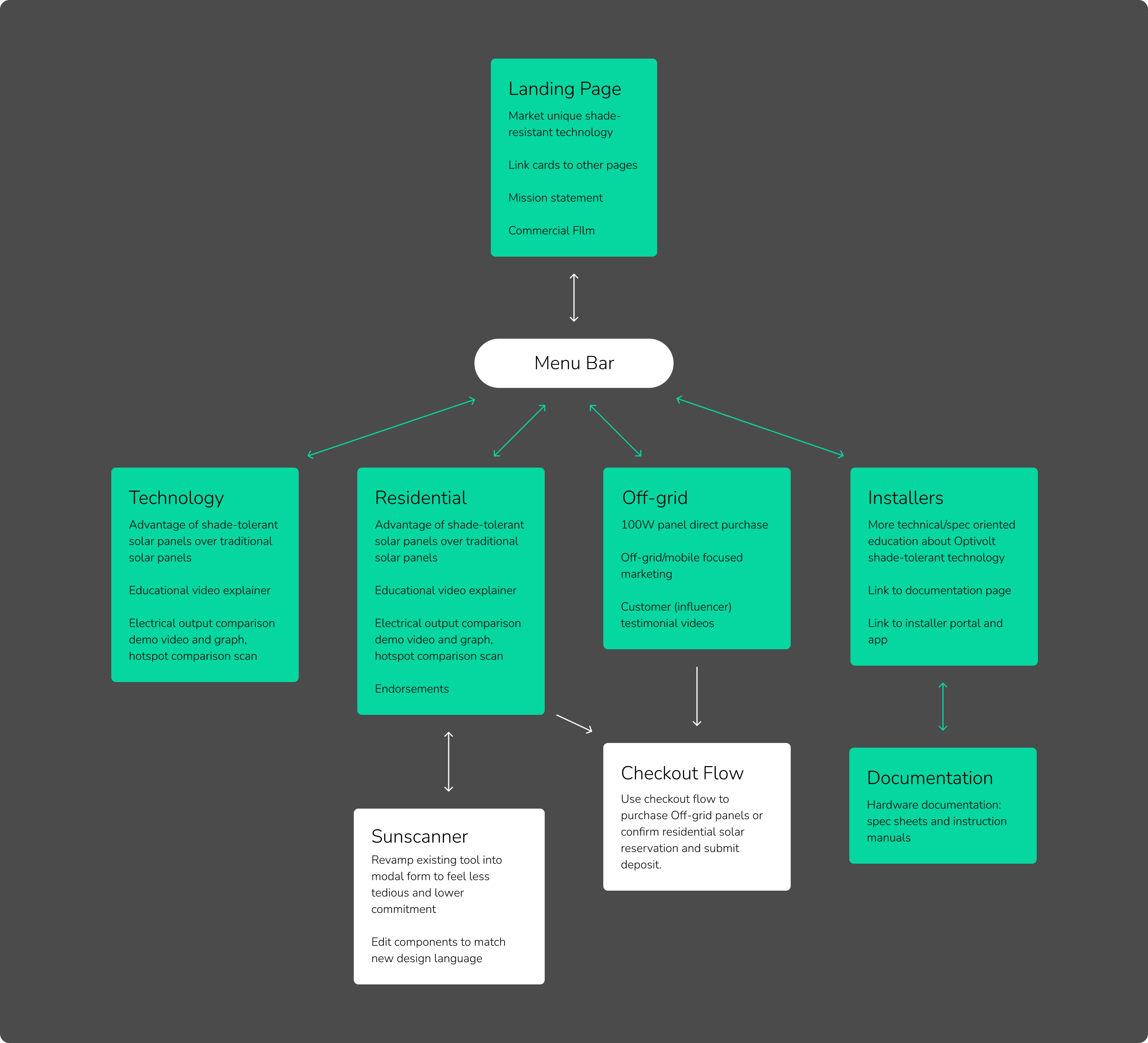
After identifying the user groups, I outlined a user flow outlining the connection between the main pages, their primary purpose, and what features they should include.

MODIFYING STYLE GUIDE

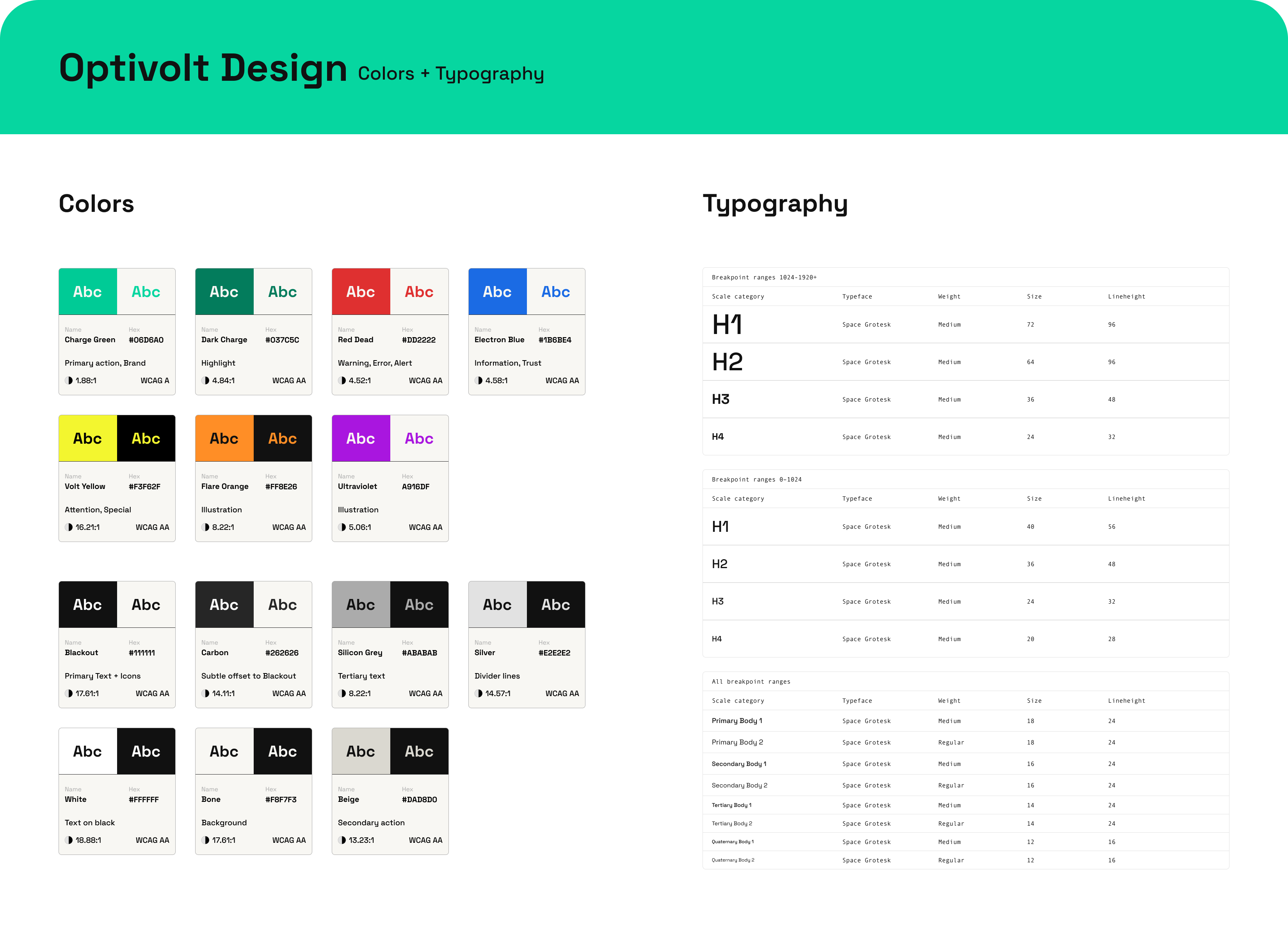
I modified the existing style guide, which had an ultra bold, modern, masculine-leaning style to a more soft, by changing from dark mode to light mode, less bold line weight, and slightly warmer colors.

CREATING COMPONENTS

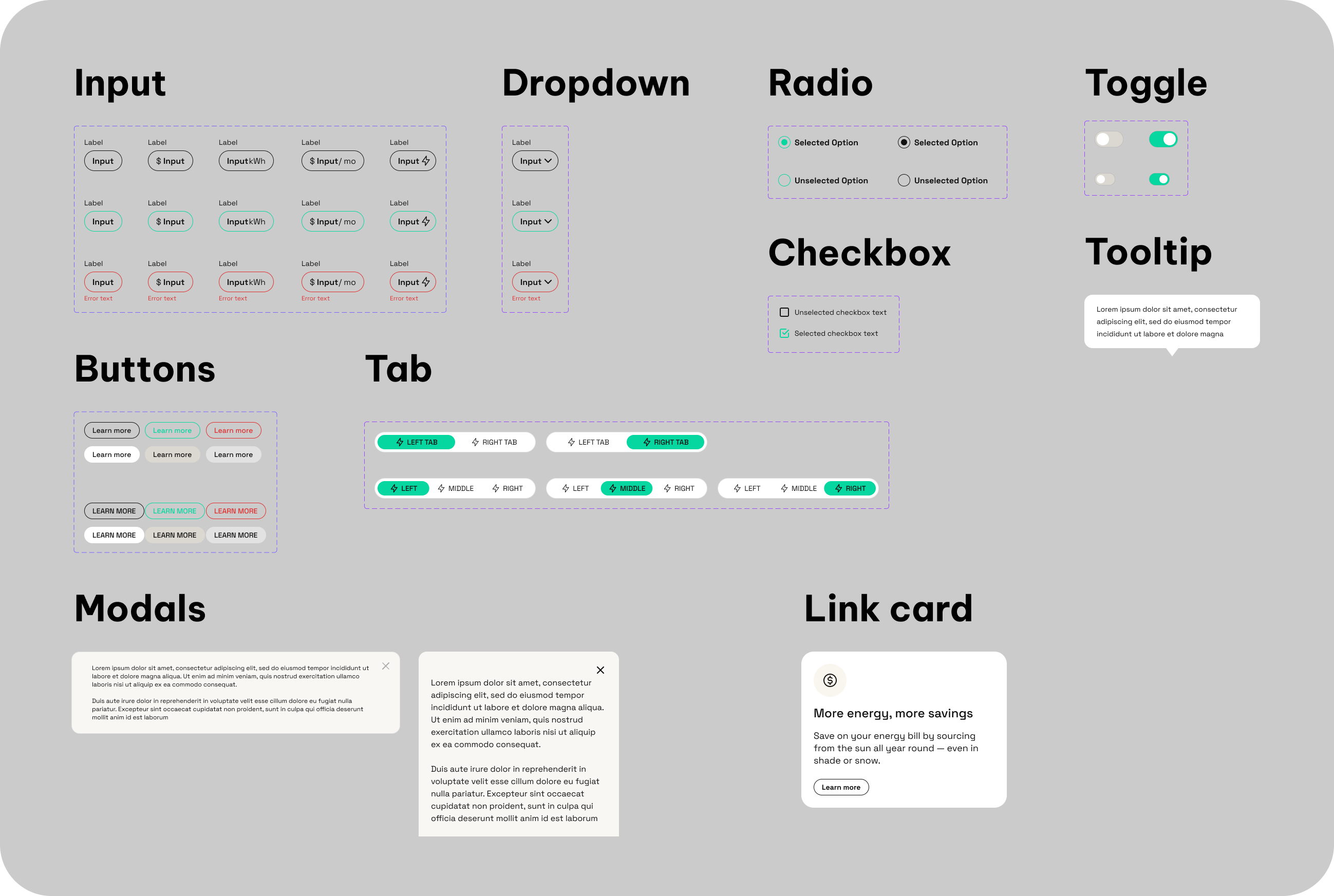
I redesigned the existing component library to match the new design system.

Wireframes

Then, I designed the Residential Page and the estimator tool (named Sunscanner) to fulfill the required functionality.

Homepage

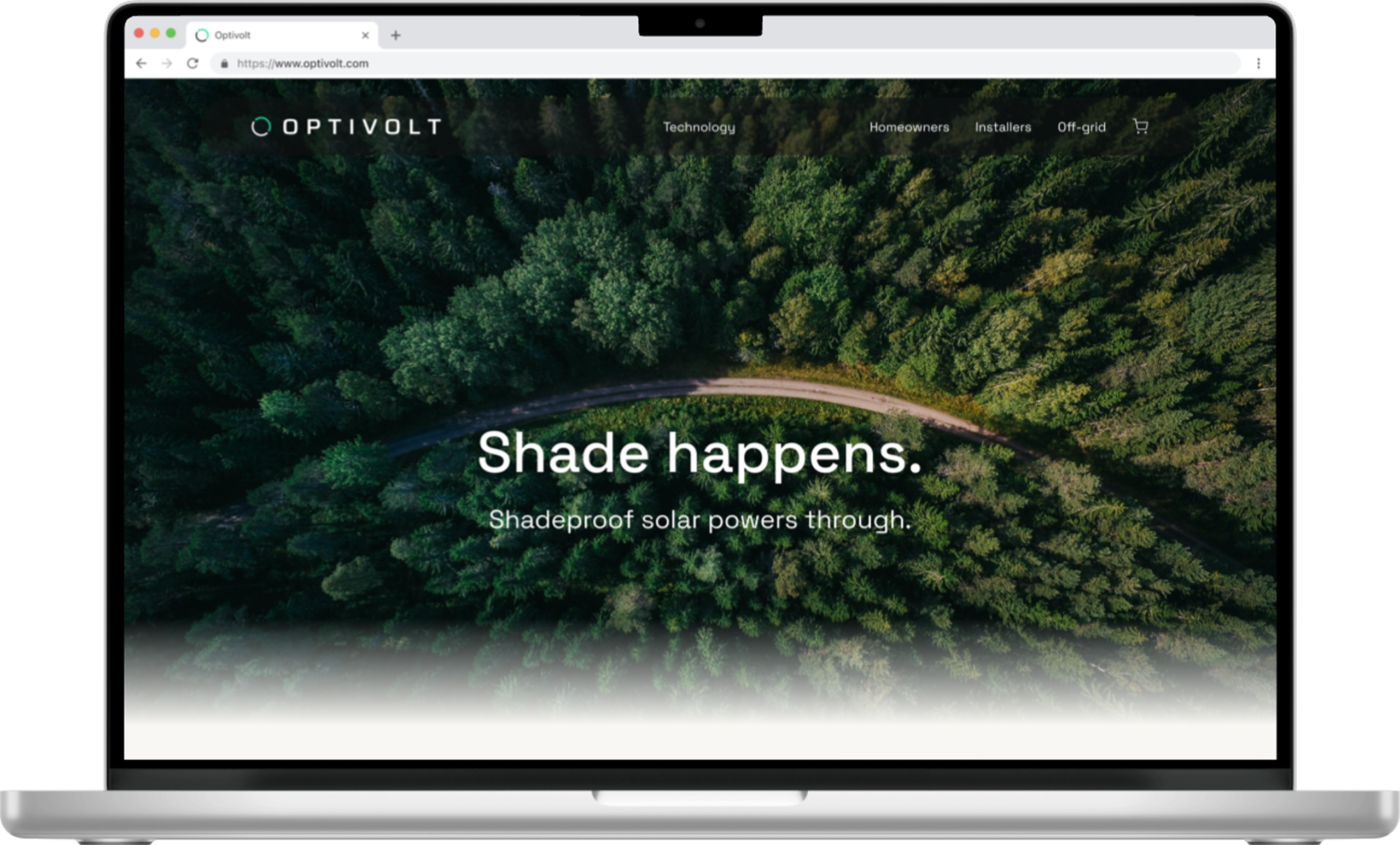
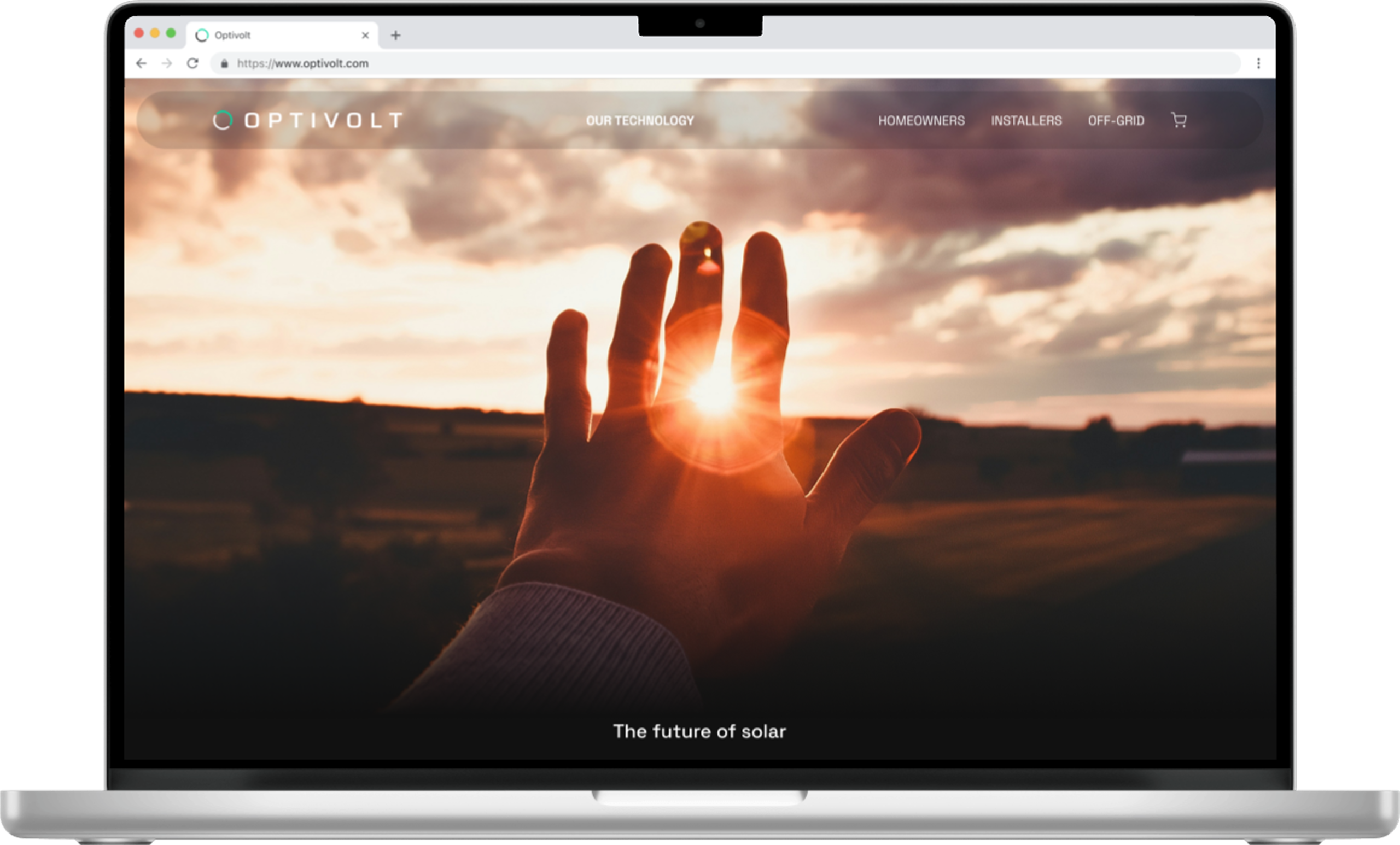
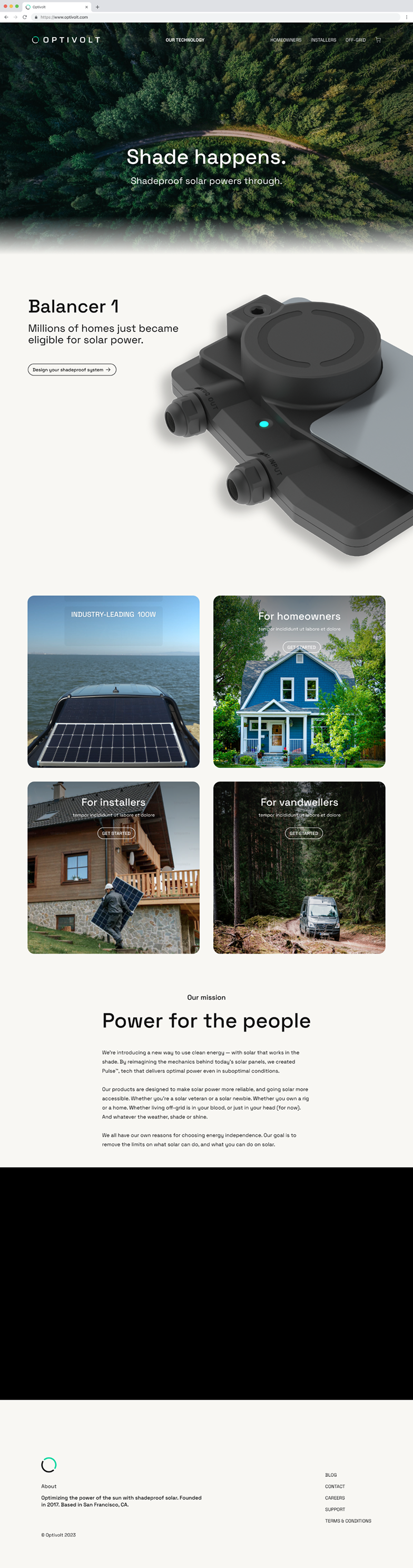
Navigation bar floats at the top for easy access to the homepage, with pages specific to the different user groups and the checkout aligned right.

Hero landing splash image to highlight tagline

Showcase unique shade-proof technology as a key feature

Link cards to user-group specific pages to direct user flow

Technology Page

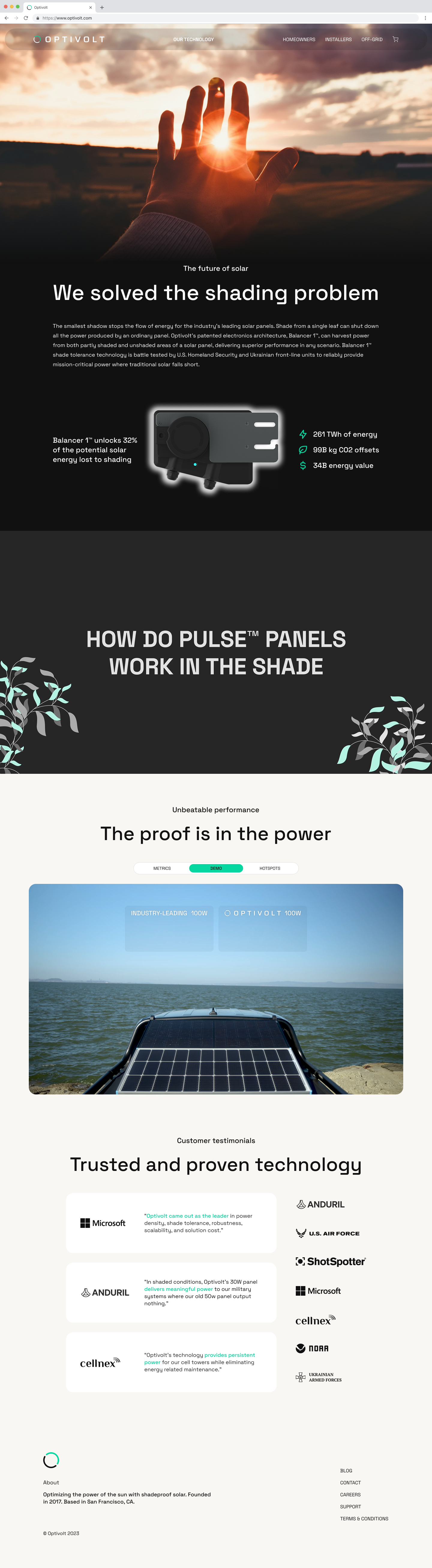
As users scroll down the page, progression from a brief introduction to the solar shade intolerance issue, an explanation of how Optivolt's unique technology counteracts the it, demonstration of the effectiveness of Optivolt's technology in comparison, finishing with endorsements.

Tab between a video demo, and visual graph, and hotspot scan to compare shade-tolerant panels vs traditional panels

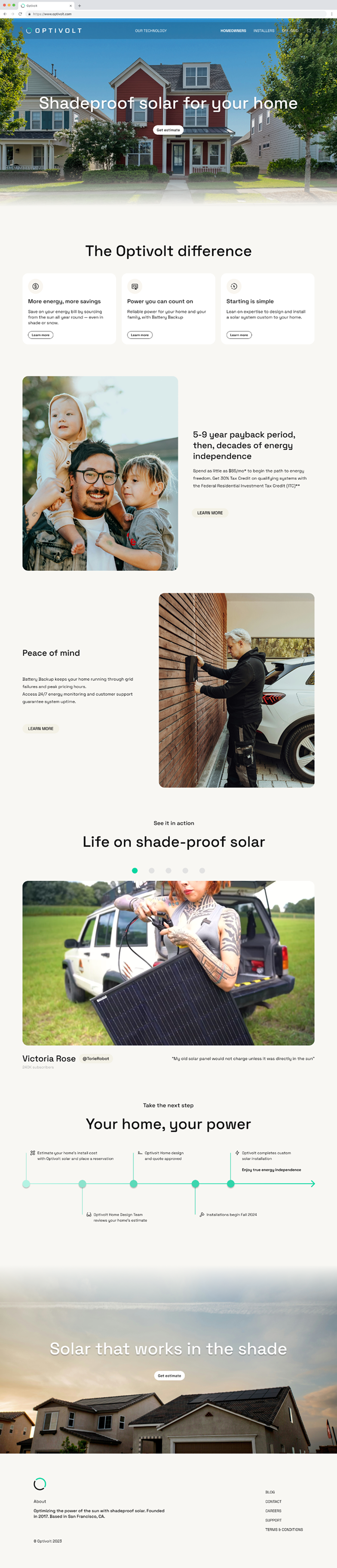
Residential Page

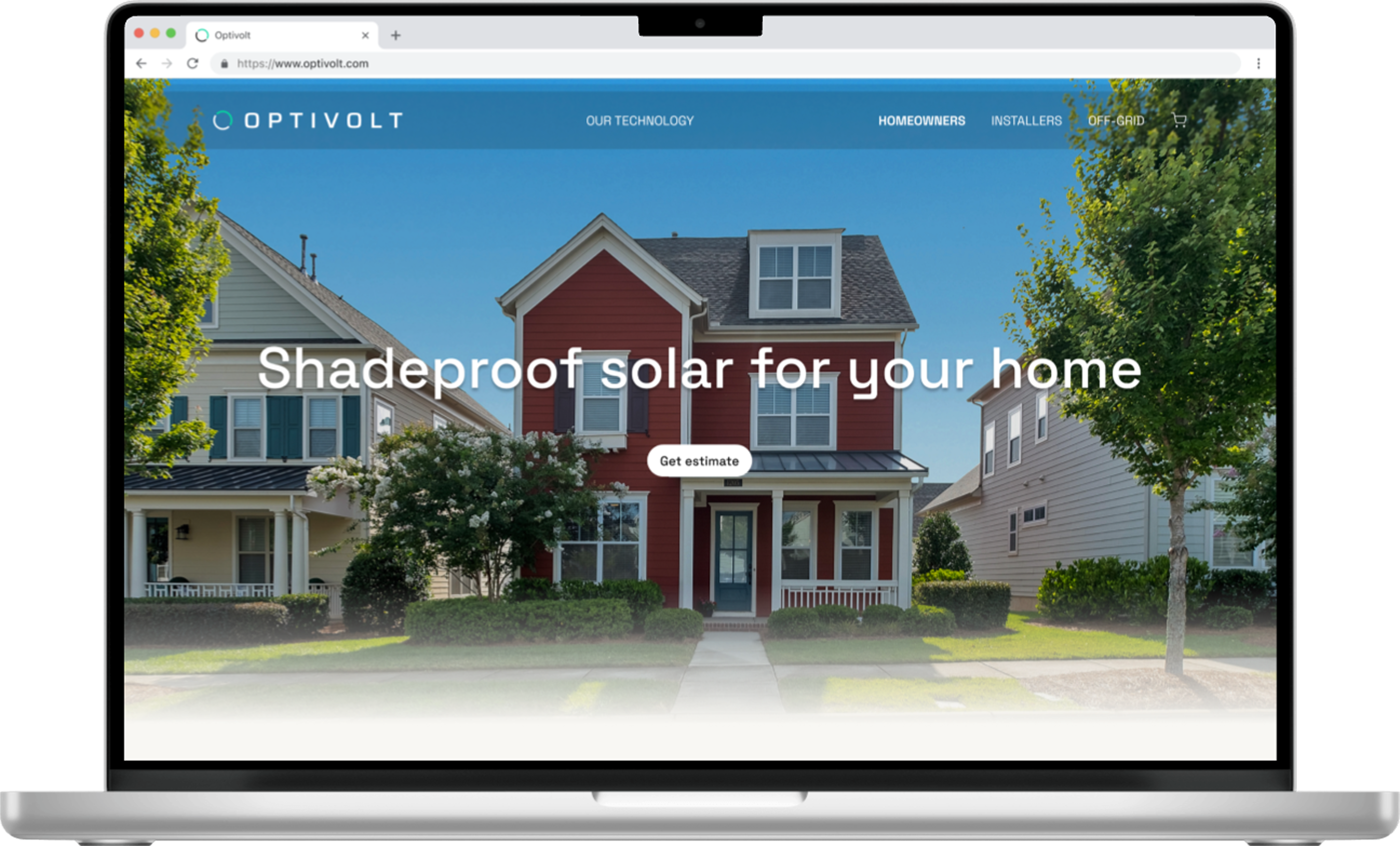
Landing screen shows a Call-To-Action to the Sunscanner estimator tool

Sunscanner revamp to be a modal and to suit the new design style (see Sunscanner project page for redesign wireframes)

"Learn more" buttons open educational modals with more in-depth information available as desired, while maintaining user flow and keeping overall page clutter-free

Carousel of customer review videos

A timeline to indicate the expected timeframe for residential solar installations
Off-grid Page

Redesigned product purchase page for Off-grid 100W panel to align with new design style

"Learn more" buttons open educational modals with more in-depth information available as desired, while maintaining user flow and keeping overall page clutter-free

Carousel of customer review videos

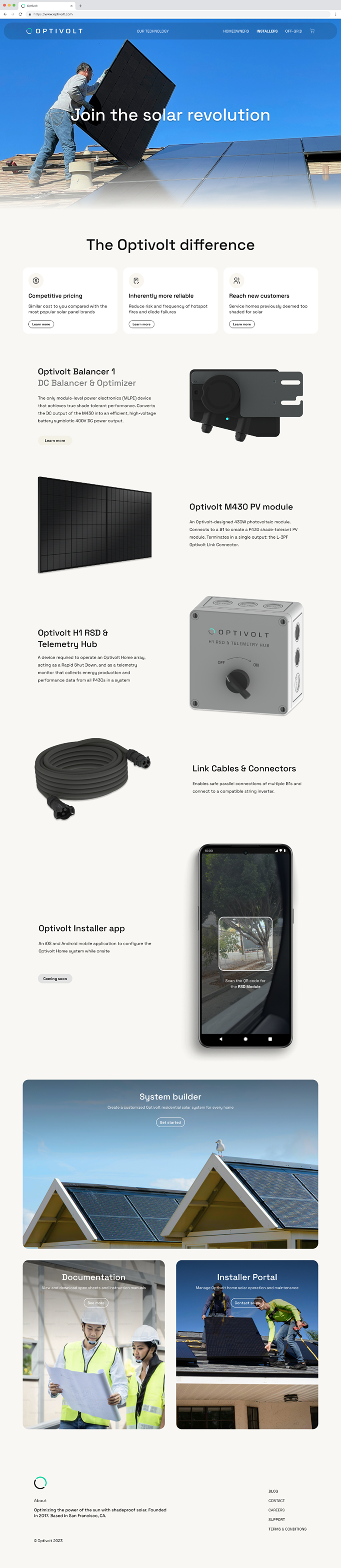
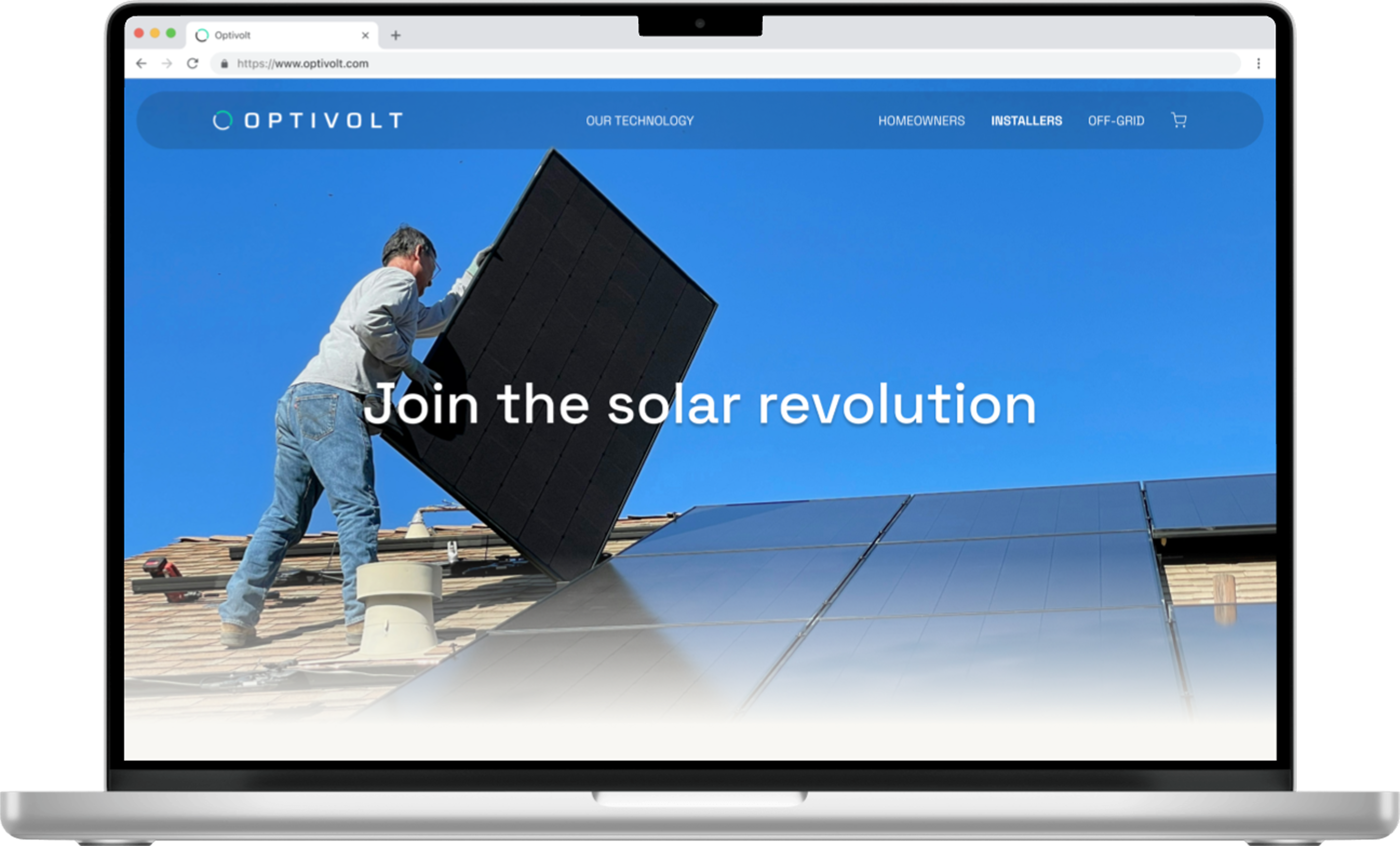
Installer Page

Technician oriented marketing points and hardware information

"Learn more" buttons open educational modals with more in-depth information available as desired, while maintaining user flow and keeping overall page clutter-free

Link cards to installer tools: documentation page, installer portal and app

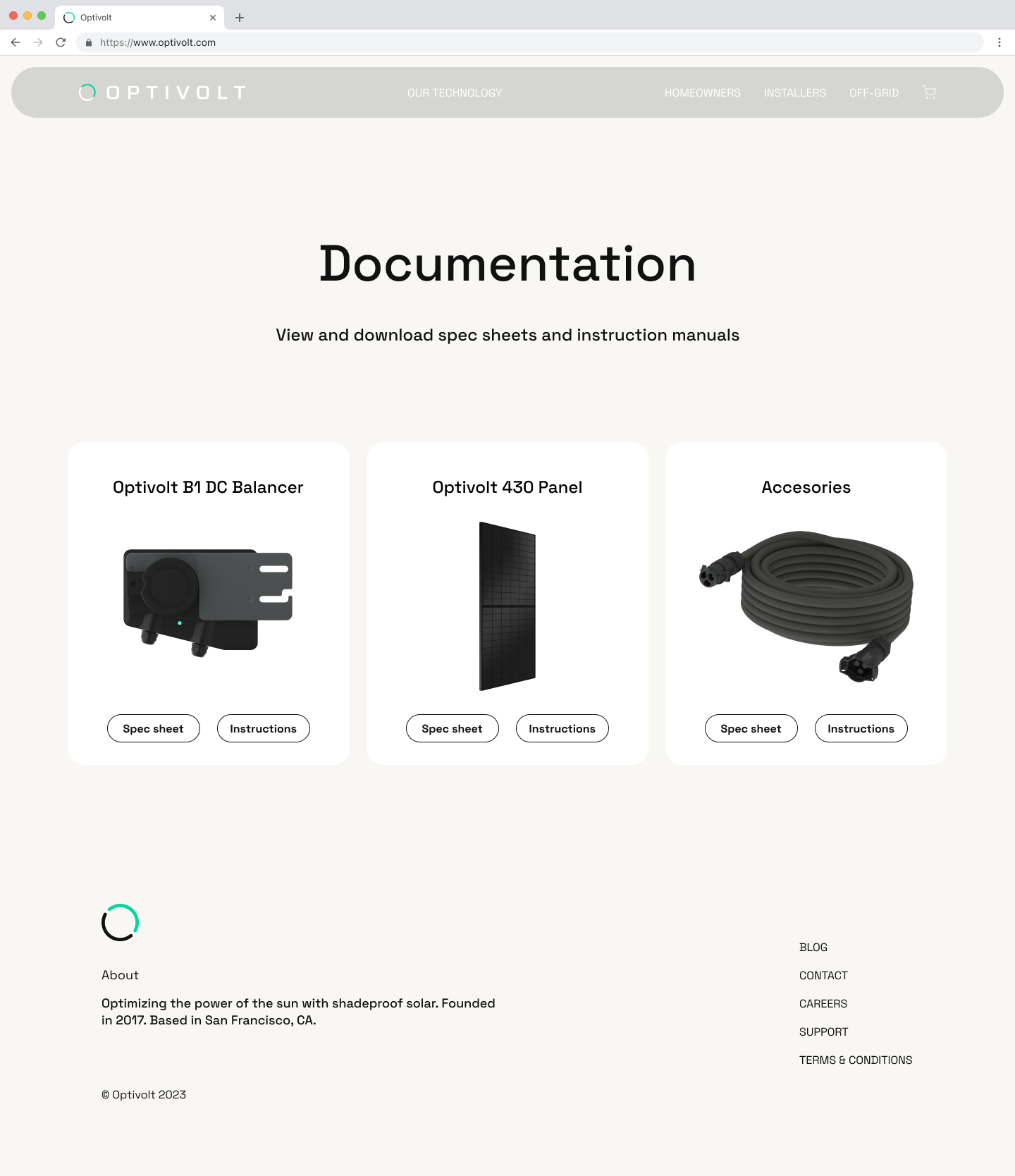
Documentation Page

Link cards to product specific spec sheets and user manuals
NEXT PROJECT
BACK TO PROJECTS LIST